Every client’s links in one place — and one link to send them
Consultants live inside other people’s systems: the client’s SharePoint, their Drive, three dashboards, a data room, your own proposal, and a dozen reports you keep citing. Linkbry is where those links go instead of your inbox — a folder per engagement, a note on every link, and a clean read-only page you hand the client in place of another email full of URLs.
Last updated
In short
Use Linkbry as the link layer of your consulting practice: a folder per client and engagement, a note on each link saying why it matters, a reusable library of frameworks and research, and a branded, optionally password-protected page per client so they always have the current deliverables. A solo consultant can start free (100 links); Pro is $10 a month per editor, and clients join as free viewers.
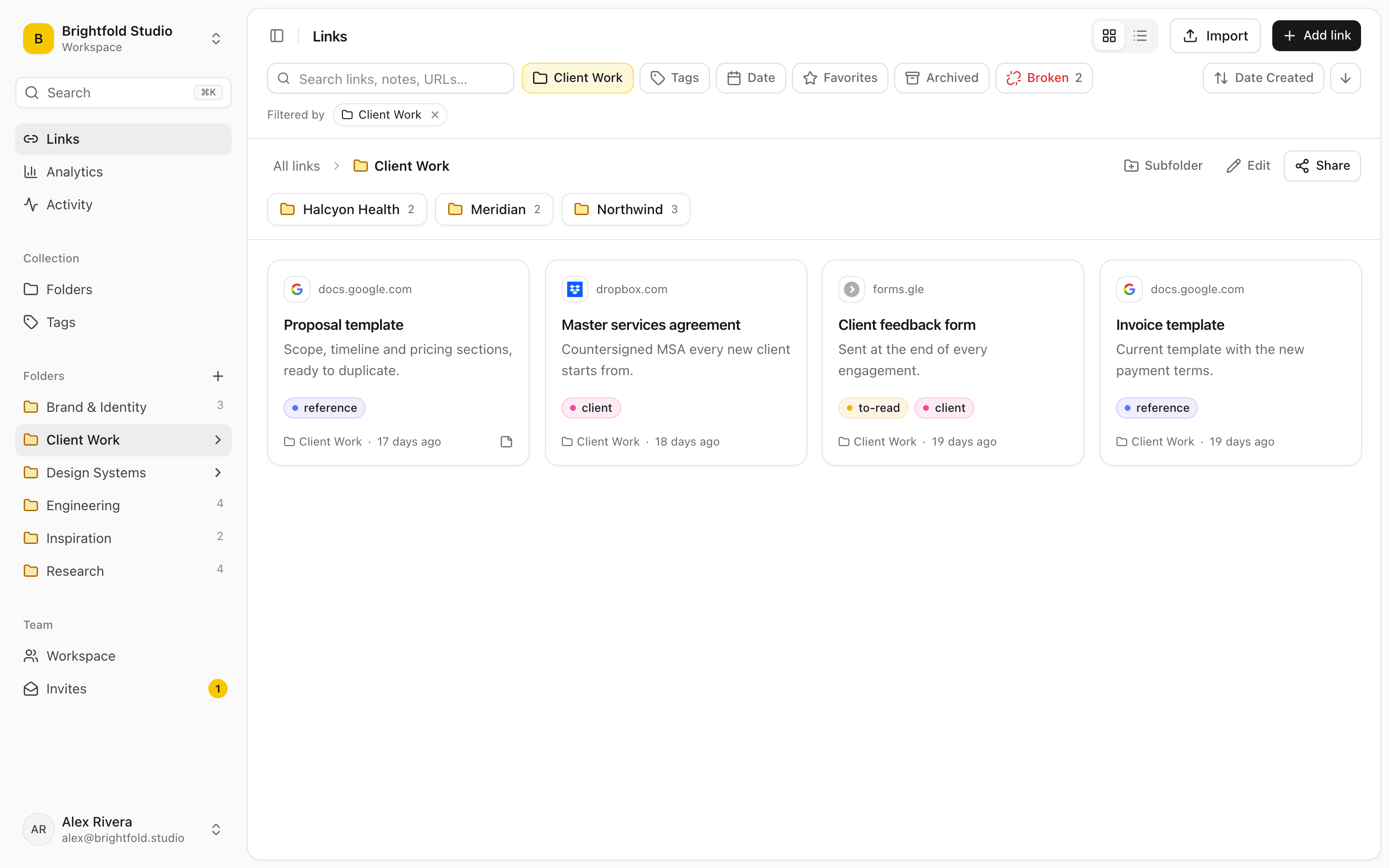
What consultants use Linkbry for
A resource hub for each client
Publish a client’s folder — deliverables, decks, models, dashboards, meeting notes — as one read-only page with your logo and accent colour. Add a link to the folder and the page updates; nobody asks “is this the latest version?” again.
Kickoff and client onboarding
A kickoff folder holds the statement of work, timeline, access requests, working agreement and who-to-contact list. Send it before the first meeting so day one starts with answers, not a scavenger hunt.
A practice library you reuse
Frameworks, benchmark reports, proposal examples and industry research you return to on every engagement — tagged by industry and practice area, with a note on when each one is worth using.
Research sprints and due diligence
Save sources from the browser in one click. Right-click “Save page with selection as note” keeps the sentence that mattered as the link’s description, and search finds it again by what you wrote.
Working with associates
Invite associates and subcontractors as editors. Restricted folders keep one client’s material visible only to the people staffed on that engagement.
Links into emails and decks without hunting
With the Chrome extension, type ;; in Gmail, Slack, Notion or a web doc to search your library and insert the right link where you’re typing.
Knowing what the client opened
Share stats count page views and clicks per link on each client page, so you can see whether the final report was read before the steering meeting. No visitor identities are recorded.
A clean handover
At the end of an engagement the page can stay live, the client can export it, or a signed-in client can copy the whole folder into their own Linkbry workspace with “Save this folder”. Your notes never travel with it.
Where a consultant’s links end up
No engagement starts with a link system. Links accumulate in whichever tool was open when someone sent them, and the cost shows up when you, a colleague or the client needs one back.
- Buried in client email threads and meeting invites
- Pasted into slide speaker notes and spreadsheet cells
- “Final_v3” in the client’s Drive, and “final_v4” in yours
- SharePoint and data-room links only one person has access to
- Bookmarks on your laptop that nobody else on the engagement can see
Consulting knowledge management, without a knowledge-management project
Most firms don’t need a new knowledge base; they need the good material from the last engagement to be findable on the next one. Keep a practice library next to your client folders, tag it by industry, capability and deliverable type, and write in each link’s note when to use it. Search covers titles, URLs, descriptions, your notes and the readable text of saved web pages, so “that retail pricing benchmark” is one query away. Give important frameworks an owner and a review interval, and Linkbry shows them as due for review instead of letting them quietly go stale.
- Nested folders for practice areas, clients and engagements
- Tags for industry, capability, stage and deliverable type
- A private note on every link, visible to your workspace only
- Link owners and review dates for material that ages
- A broken-link checker that flags sources that died or moved
A client portal for links — not another file portal
A Linkbry client page is a read-only list of links (and any files you upload), grouped by subfolder, with a search box. Give it the client’s name, a description, your logo and accent colour; add a password and an expiry date if the material is sensitive or the engagement has an end date. Documents stay where they already live — Drive, SharePoint, the data room — and the page is the one place that points to all of them. On Pro, a client page can also be served on your own domain, which we set up with you.
Keep each client’s work separate
Two ways to separate clients. Keep one workspace with a folder per client and restrict each folder to the people on that engagement, or — on Pro — create a separate workspace per client and invite the client’s team into it as free viewers. Either way, links can also be kept private to you, and a shared page never shows notes, archived links or private links. One thing to plan for: sharing a folder also publishes its subfolders, so keep internal working links in a sibling folder rather than a child of the client’s page.
Pricing for a consulting practice
Solo consultants can run on the Free plan: one person, up to 100 links, and client pages with passwords, expiry dates and your branding (the page shows a small “Made with Linkbry” footer). Pro is $10 per owner or editor per month, or $100 a year, with no link limit, more storage for uploaded files, the option to hide the footer, and more than one workspace. Clients, reviewers and read-only colleagues are free viewers — a three-partner boutique pays $30 a month however many client stakeholders it invites.
When Linkbry isn’t the right fit
Linkbry is a library of links, not a practice-management suite. If you need invoicing, contracts, e-signatures, time tracking or file approval workflows in one client portal, use dedicated client-portal software and link to it from Linkbry. It doesn’t replace your document storage or version history, and it keeps the readable text of web pages for search rather than full archived copies.
A starter workspace for a consulting practice
Share the client-facing folder, not its parent: every subfolder of a shared folder is published with it.
| Folder | What goes in it | Who sees it |
|---|---|---|
| Practice library | Frameworks, proposal examples, benchmark reports, industry research | You and your associates |
| Clients / Northwind / Client page | Kickoff pack, timeline, deliverables, dashboards, meeting notes | The client, via a branded, password-protected page |
| Clients / Northwind / Working | Sources, drafts, internal analysis, data-room links | The engagement team only (restricted folder) |
| Templates | SOW, kickoff deck, status-report and steering-committee templates | You and your associates |
| Research / by industry | Market reports, articles, datasets, expert-call notes | Everyone in the workspace |
Frequently asked questions
Keep files where they already live (Drive, SharePoint, a data room) and use Linkbry for the links to them: one folder per client, published as a read-only page the client opens without an account. You can brand it, protect it with a password, set an expiry date and see views and clicks per link.
Not on a shared page — notes, archived links and private links are never shown there. If you invite a client into your workspace as a viewer, they’re a member and can see notes on the links they have access to, so for clients a shared page or a separate client workspace is usually the better choice.
No. A shared page opens for anyone with the link (and the password, if you set one). Clients only need an account if you invite them into a workspace or they want to copy the folder into their own.
On Pro, a shared page can be served on your own hostname, such as links.yourfirm.com. It needs a DNS change on your side and a step on ours, so we set it up with you rather than instantly.
Free covers one person with up to 100 links, including client pages. Pro is $10 a month or $100 a year per owner or editor, with no link limit; clients you invite as viewers are free.
Yes. Workspace owners can restrict a folder, and everything in it, to named members. Everyone else can’t see it anywhere — not in search, the ;; picker, exports or go links.
Start organizing your links today
Free forever for one person. No credit card needed.