The client link portal your agency will actually keep up to date
Agencies run on links: the client’s analytics and ad accounts, the reporting dashboard, the brand folder, the content calendar, staging sites, approval docs and the walkthrough video that explains it all. Linkbry keeps them in one shared library for your team and gives each client a branded page with exactly what they need — so account managers stop re-sending the same fifteen links every month.
Last updated
In short
Run one Linkbry workspace for the agency with a folder per client, and publish each client’s folder as a branded page with their name, your logo and an optional password. Your team inserts client links anywhere with ;;, links get an owner and a review date so they don’t go stale, and share stats show which reports clients open. Pro is $10 per editor a month; client viewers are free.
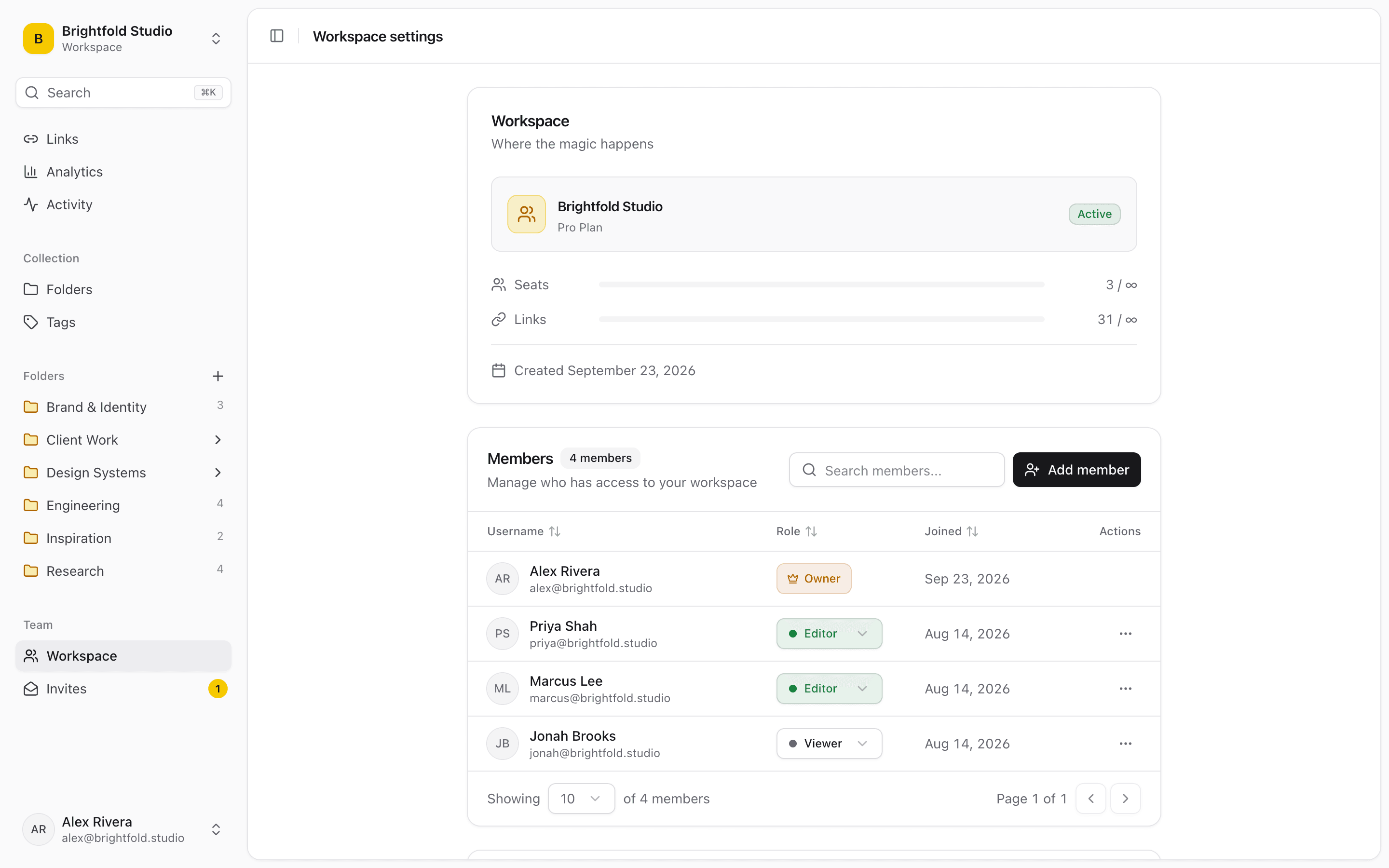
What agencies use Linkbry for
A client portal per account
Live dashboards, monthly reports, brand assets, the content calendar and approval docs on one page with the client’s name and your branding. On Pro it can sit on your own domain, set up with our help.
Client onboarding
A kickoff folder with the access checklist (analytics, ad accounts, CMS), brand guidelines, the intake questionnaire, contacts and timeline — shared before kickoff, reused for every new client.
Monthly reporting
Keep the live dashboard link in the client’s Reports folder instead of attaching a new PDF each month. Share stats show views and clicks per link, so you know whether the report was opened.
Swipe files and creative references
Ads, landing pages, emails and competitor pages saved in one click from the browser. Save an image or a screenshot and Linkbry stores a copy, so the reference survives when the campaign page comes down.
Staging and review links
Staging URLs, design files, prototypes and review docs per project. The broken-link checker flags retired staging sites, and each link can have an owner responsible for it.
Account handovers
When an account changes hands, the new account manager gets the client’s folder with the context in each link’s note and comments, and the activity feed shows what changed and when.
Agency operations
SOPs, templates, the tool stack and a checklist folder that tracks each new hire’s progress through their first-week links.
Freelancers and contractors
Bring freelancers in with an invite link that expires, as viewers or editors. Restricted folders keep other clients’ work out of their view.
Where client links live in most agencies
The average account has links in five places, and each workaround costs an account manager time the client never sees.
- A “useful links” doc per client that someone updates when they remember
- Report links re-sent in email every month
- Pinned messages in a shared Slack channel the client never checks
- Asset links in a project-management task that closed months ago
- Staging and preview URLs in the heads of whoever built them
One workspace with a folder per client — or a workspace per client
Most agencies start with one workspace and a folder per client: a single search across every account, one set of tags, and restricted folders for accounts only some people should see. Agencies whose clients want ongoing access to everything can create a workspace per client on Pro and invite the client’s team as free viewers. You can belong to both kinds at once, and the ;; picker searches every workspace you’re in.
Client pages that look like yours
Every shared folder can carry its own title, description, accent colour and logo. Add a password for anything commercially sensitive and an expiry date for pitch or campaign pages that should close. On Pro you can hide the “Made with Linkbry” footer, and embed the list in a client’s Notion page or intranet so it updates there too. Notes, archived links and private links never appear on a shared page.
Stop client links going stale
Give important links an owner and a review interval; when one is due, it shows up as needing review until someone confirms it’s still correct. The background link checker re-tests links at most weekly and flags anything broken or redirected to another domain, and editors can re-check a link on demand before a client meeting.
What it costs an agency
You pay for the people who curate: $10 per owner or editor per month, or $100 a year. Clients, freelancers who only read, and colleagues outside delivery are free viewers. An eight-person agency with six editors pays $60 a month whether it serves five clients or fifty.
Where Linkbry isn’t the right fit
Linkbry isn’t project management, proofing, invoicing or a digital asset manager. It doesn’t replace your task tool or your file storage; it’s the organized, shareable layer of links on top of them. There’s no Zapier or Make app — Pro workspaces get signed outgoing webhooks instead.
A starter workspace for an agency
| Folder | What goes in it | Who sees it |
|---|---|---|
| Agency HQ | SOPs, templates, tool stack, new-hire checklist | The whole agency |
| Clients / Acme / Client page | Live dashboards, monthly reports, brand guidelines, content calendar, approvals | Acme, via a branded page |
| Clients / Acme / Internal | Ad accounts, staging sites, briefs, account notes | The Acme account team (restricted folder) |
| Swipe file | Ads, landing pages and emails, tagged by channel and format | The whole agency |
| New business | Case studies, credentials deck, proposal templates | Leadership and new business |
Frequently asked questions
It’s a lightweight client portal for links: each client gets a branded, read-only page of their dashboards, reports, assets and docs, optionally password-protected and expiring. It doesn’t handle invoices, contracts, file proofing or tasks — link to the tools that do.
No. A shared page shows only the folder you shared and its subfolders. Inside your workspace, owners can restrict a client’s folder to named members so it’s invisible to everyone else.
Title, description, logo and accent colour are available on every plan. Hiding the “Made with Linkbry” footer and serving pages on your own domain are Pro features; the custom domain is set up with our help.
Share stats show page views and clicks per link on each shared page over the period you choose. They count activity; they don’t identify who the visitor was.
The Chrome extension’s ;; picker inserts links into any text box in the browser — Slack, Gmail, Notion, Jira and your project tool. Pro workspaces can send signed webhooks for workspace events. There’s no Zapier or Make app, and no native mobile app.
$10 per owner or editor per month, or $100 a year. Viewers — including clients and read-only colleagues — are free and unlimited.
Start organizing your links today
Free forever for one person. No credit card needed.