Save from anywhere. Insert anywhere.
The extension works both ways: it saves the page you're on (or any link on it) in a click, and drops saved links into whatever text box you're typing in.
One click in
Click the extension on any page to save it with the title and favicon captured, then pick a folder and tags if you want them. Right-click works too: save the page, save any link on it, or save the page with selected text as its description.
- Saves to any workspace you're a member of
- Warns you if the link is already saved in that workspace
- Right-click to save a link without opening it
A keystroke out
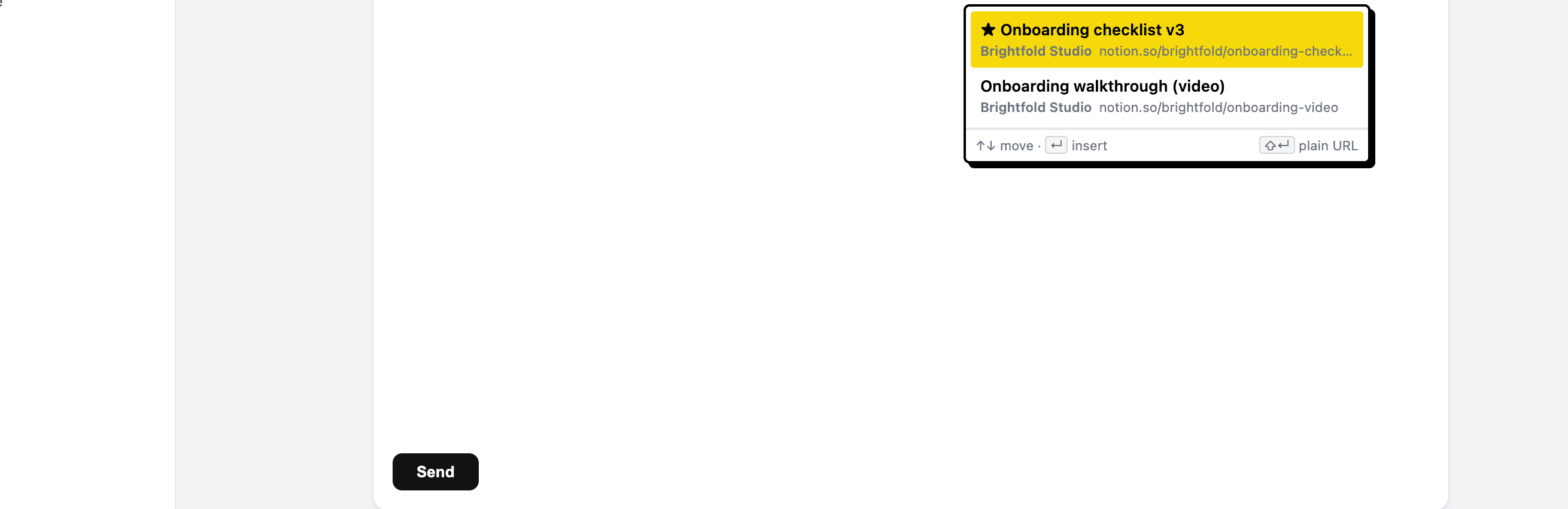
Type ;; in any text box (an email, a ticket, a Slack message, a doc) and the picker appears at your caret, filtering as you type across every workspace you belong to. Enter inserts the link. Ctrl/Cmd+Shift+K opens the same search as a command palette.
- Works in any editable field, including rich editors
- Inserts a formatted link, or a plain URL with Shift
- Arrow keys to move, Enter to insert, no mouse needed
Chrome and Chromium browsers
The extension is built for Google Chrome and installs from the Chrome Web Store, which Chromium-based browsers like Edge and Brave can also use. The Linkbry web app works in any modern browser.
Start organizing your links today
Free forever for one person, and no credit card needed.