Industries

Codes, products and precedents in one link library for the whole practice

Linkbry keeps your practice’s links, from building codes and spec sheets to precedents, consultant portals and BIM libraries, in one shared library organised by topic and by project.

In short

Use Linkbry as your practice’s reference library of links (codes and standards, manufacturers and spec sheets, precedents, consultant portals and CAD/BIM resources), plus a folder per project, and publish a curated folder as a read-only page for a client. It stores links and notes, not your drawings or models. Pro is $10 per owner or editor a month; everyone who only needs to read joins free as a viewer.

What it’s for

What architecture and engineering firms use Linkbry for

Week to week

How it works in practice

  1. 01

    Project kick-off

    The project lead creates a project folder and saves the CDE, consultant portals, planning portal and brief into it. An owner restricts it to the project team if needed.

  2. 02

    Design: save references as you go

    Precedents and products are saved from the browser with the extension into the project or library folder, with folder and tag suggestions based on what the practice has saved from that site before.

  3. 03

    Specifying: find the product again

    Search for a word you wrote in the note, such as a colour or a project number, because notes and descriptions are searched along with titles, URLs and site names.

  4. 04

    Design review: share a curated page

    Add the options to a client-facing folder (a link can appear in more than one folder) and send the read-only page. Share stats show which options were opened.

  5. 05

    Friday: library upkeep

    The library’s editors clear discontinued products and moved code pages from the Broken filter, and confirm references that are due for review.

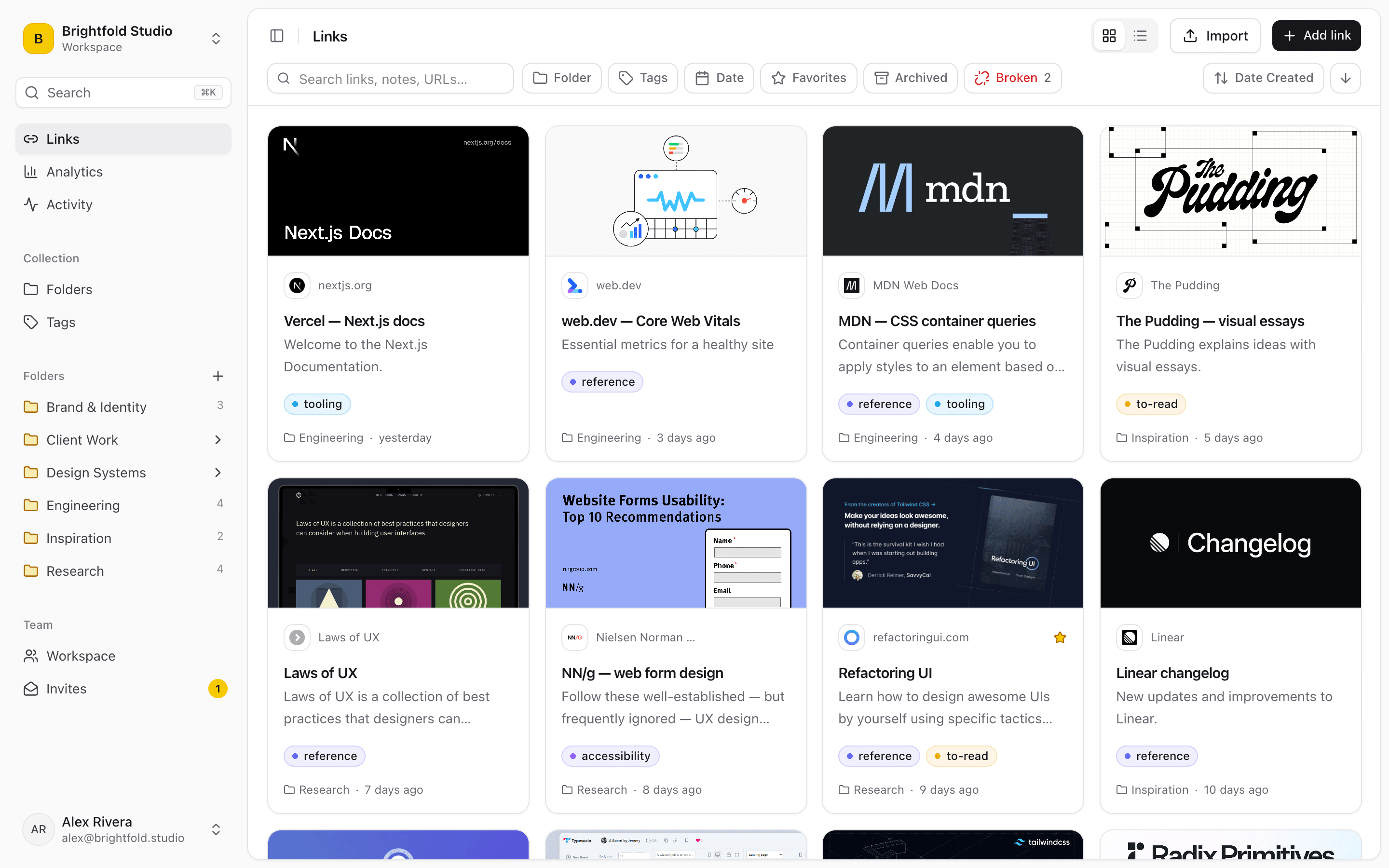
Linkbry’s grid view of saved links with preview images, sites, descriptions, tags and folders.
01

Where a practice’s links live today, and why it breaks

Reference links build up around individuals, not the practice. When a project changes hands or someone leaves, the links go with them.

  • Manufacturer pages bookmarked by whoever specified the product, on their own machine
  • Code and standards links on an intranet page that points to superseded editions
  • Precedent images on a Pinterest board or a desktop folder that only one person curates
  • Consultant portal links buried in the project email thread
  • The same BIM object library found again from scratch on every project
02

Links and notes, not drawings or models

Linkbry holds links, titles, descriptions and notes, plus uploaded images and files if you want them. It isn’t a common data environment or a document control system: drawings, models, transmittals and revisions belong there. What Linkbry does well is point to them: a project folder that links to the right CDE workspace, consultant portal and planning application, so people stop asking for the address. Uploads are capped per file (10 MB on Free, 100 MB on Pro) and per workspace (100 MB on Free, 20 GB on Pro): plenty for images and spec sheets, not meant for model files.

  • Save the link to a spec sheet; upload a copy only when you need one that won’t change
  • Keep drawings and models in your CDE and link to them
  • Links to portals behind a sign-in open only for people with access there
03

Roles for library curators, project teams and everyone else

Owners manage members, billing, deleting and restricted folders. Editors (the technical lead, the specification writer, each project’s architect or engineer) add, organise and delete links and publish folders, but only owners delete folders, so the product library doesn’t lose a whole section in a tidy-up. Viewers read and search for free on Pro, which covers anyone who only needs to find things. Links can be private to the person who saved them, and project folders can be restricted to the project team.

  • Owner: members, billing, restricted folders, deleting folders and tags
  • Editor: adds, organises, shares and deletes links
  • Viewer: reads, searches and exports; free on Pro
  • An activity feed of who added, moved or shared what
04

Sharing a curated folder with a client

Owners and editors can publish any folder, with its subfolders, as a read-only page that opens without an account: precedents for a design review, finish and product options, or public planning documents for a scheme. Add a title, your logo and colour, a password and an expiry date, and turn it off at any time. Notes, archived links and private links never show, so internal comments stay internal. Share stats count page views and clicks per link, without identifying visitors.

05

Keeping product and code links current

Manufacturers rename and retire products, and code pages move with each new edition. The background checker re-tests each link at most weekly and flags links that return an error or redirect to another domain. It checks that a link works, not that it’s current, so give key references an owner and a review interval: they show as due for review until someone confirms they still apply.

  • A Broken filter for dead and moved links
  • Owners and review intervals for codes, standards and key products
  • “Check now” to re-test a link before a design issue
  • Search matches the readable text of saved web pages; PDF spec sheets are found by title, URL, description and note
06

Pricing for an architecture or engineering practice

Free is one person with up to 100 links. Pro is $10 per owner or editor per month, or $100 a year, with no link limit, 20 GB of upload storage and free, unlimited viewers. A worked example: a 25-person practice where a partner owns the workspace and five people curate the library and project folders pays for six seats ($60 a month, or $600 a year), and the other 19 join as free viewers. If every project architect wants to save links to the shared library, count them as editors too.

07

When Linkbry isn’t the right fit

Linkbry isn’t a CDE, a document control system, a product-data platform or a specification tool, and it doesn’t open or preview CAD or BIM files. It keeps the readable text of web pages, not archived copies, so a product page that disappears is gone unless you saved an image or uploaded the spec sheet. There are no native mobile apps for use on site, and single sign-on is OpenID Connect only, on Pro, with no SAML.

A starting point

A starter workspace for an architecture or engineering practice

Keep a project’s client-facing folder as a sibling of its team folder, since every subfolder of a shared folder is published with it.

FolderWhat goes in itWho sees it
Library / Codes & standardsBuilding regulations or code, approved guidance, standards bodies, fire, accessibility and energy guidanceEveryone reads; technical Editors maintain
Library / Products by tradeManufacturer pages, spec sheets, installation guides, tagged by materialEveryone reads; Editors maintain
Library / PrecedentsProjects, images and articles, tagged by typology and materialEveryone; Editors curate
Library / CAD & BIMObject libraries, templates, office BIM standards, plugins, trainingEveryone; Editors maintain
Projects / 2418 Riverside School / TeamCDE, consultant portals, planning portal, brief, specified productsThe project team (restricted folder, set by an Owner)
Projects / 2418 Riverside School / Client optionsPrecedents and finish options for the next design reviewShared page for the client, password-protected
Your working linksEarly research, products you haven’t vetted yetPrivate, visible only to you
FAQ

Questions architecture and engineering firms ask.

How much does Linkbry cost for an architecture practice?

$10 per owner or editor per month, or $100 a year, with no link limit. Viewers are free and unlimited on Pro. Free is for one person with up to 100 links.

Can Linkbry store our drawings and models?

It isn’t built for them. Linkbry stores links, titles, descriptions and notes, and can hold uploaded images and files up to 100 MB each on Pro, which is fine for spec sheets and reference images, not for models or a drawing register. Keep those in your CDE and link to them.

Who should be an editor?

The people who curate the library and set up project folders. Editors add, edit, organise and delete links and publish shared pages; only owners delete folders and tags. Everyone who only needs to find things can be a free viewer.

Can we share a precedent board with a client?

Yes. Publish the folder as a read-only page that opens without an account, with your logo, a password and an expiry date if you like. Notes, archived links and private links never show, and share stats count views and clicks per link.

Can we bring in the bookmarks the practice already has?

Yes. Owners and editors can import bookmarks HTML files from Chrome, Firefox, Safari, Edge, Brave or Arc, or a CSV. Nested folders, tags and save dates are kept and duplicates are skipped, up to 20,000 links per file.

How do we drop product links into emails?

With the Chrome extension, type ;; or press Ctrl/Cmd+Shift+K in any text box in the browser (webmail, Slack, a web-based project tool) to search the library and insert a link. It works in the browser, not in desktop apps such as CAD software or Word.

Does Linkbry tell us when a product page disappears?

The background checker re-tests links at most weekly and flags ones that return an error or redirect to another domain. A page that’s been replaced by a newer product on the same site won’t be flagged, so use owners and review intervals for key references.

Give architecture and engineering firms one place for every link

Free for one person, with your bookmarks imported in a minute.

Link Library for Architecture & Engineering Firms: Codes & Specs | Linkbry