Industries

Every portal, database and precedent link your firm uses, in one place

Linkbry gives a law firm one shared library for its links, from e-filing portals and case-law databases to registries and precedents, organised by practice group and by matter.

In short

Linkbry is a shared library of links and notes for a firm (portals, research databases, links to precedents in your DMS, and a folder per matter), with owner, editor and viewer roles, links kept private to one person, and folders restricted to named members. It stores links, not your documents, and it isn’t a document management system. Pro is $10 per owner or editor a month; lawyers and staff who only need to read join free as viewers.

What it’s for

What law firms use Linkbry for

Week to week

How it works in practice

  1. 01

    A new matter opens

    The supervising associate creates a folder for the matter and saves the court file, the client’s portal and the DMS workspace link into it from the browser. If the matter is sensitive, an owner restricts the folder to the matter team.

  2. 02

    Research, saved as you go

    Authorities, legislation and guidance are saved in one click with the Chrome extension, with the key passage kept as the description and your own reasoning in the note. Linkbry warns you if a colleague has already saved the same page.

  3. 03

    Drafting without hunting

    Writing an email or an internal note in the browser, type ;; to search the firm’s library at your cursor and insert the right portal or authority link.

  4. 04

    A trainee asks where something is

    Instead of forwarding an old email, point them to the practice-group folder, or they can search for it themselves. Search covers titles, URLs, descriptions, notes and site names.

  5. 05

    Friday tidy-up

    Knowledge or practice-support staff work through the Broken filter, confirm links that are due for review, and bulk-archive the links of matters that have closed.

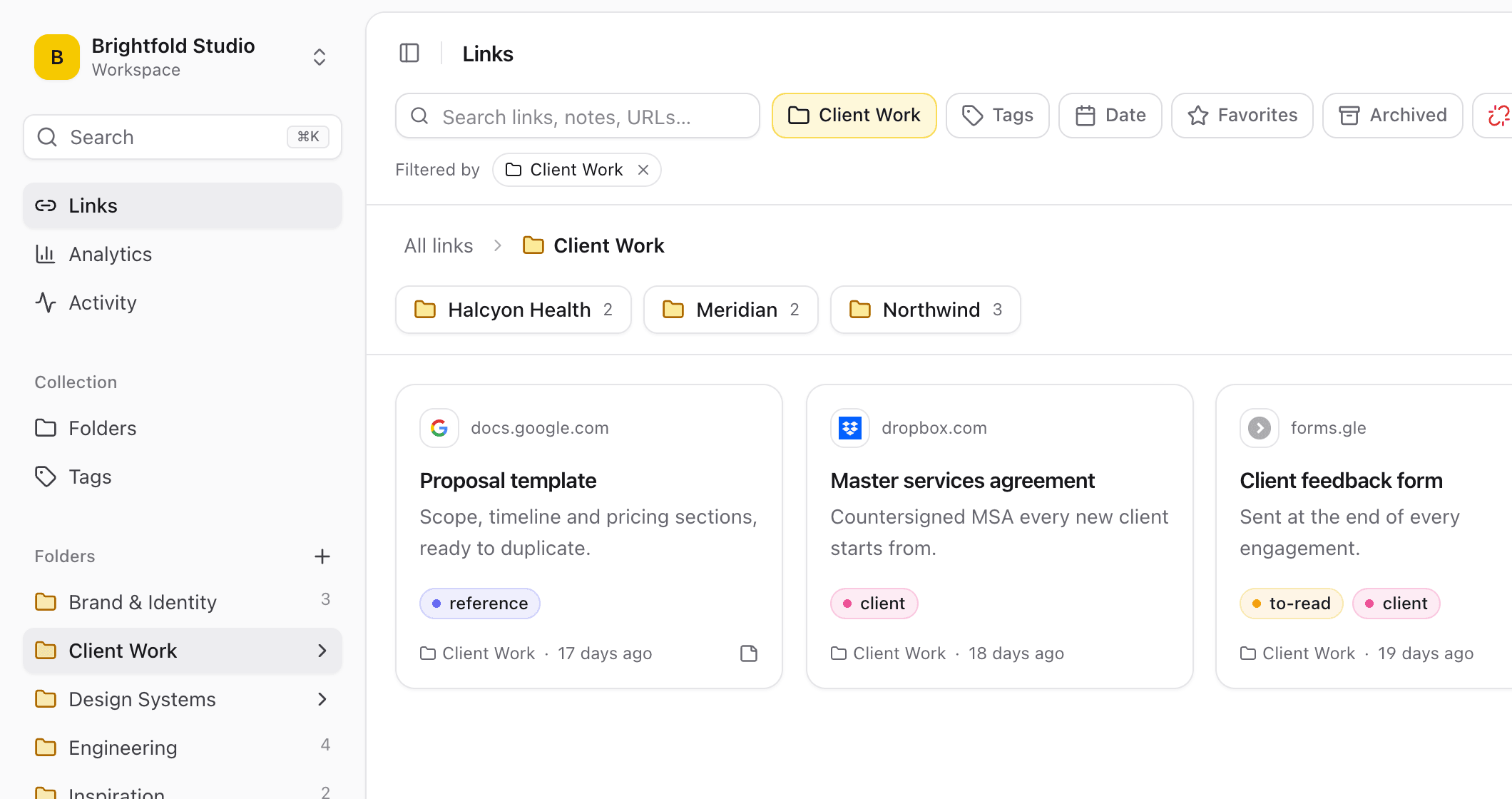
A Client Work folder in Linkbry with a subfolder per client and saved links to a proposal template, a master services agreement and a client feedback form.
01

Where a firm’s links live today, and why it breaks

Few firms decide how to keep their links; the habits just accumulate. Each one works for the person who set it up and fails the trainee who joined last month.

  • A “useful links” page on the intranet that nobody has updated since the last reorganisation
  • Portal addresses in one assistant’s browser bookmarks
  • Research sources pasted into attendance notes and emails, and never found again
  • Precedent locations passed on by word of mouth, so people use whichever one they were sent first
  • Links into the DMS scattered across emails that only make sense to whoever sent them
02

Links and notes, not a document management system

Be clear about what Linkbry holds: a link, a title, a description and a note. Pleadings, advice and correspondence stay in your DMS, with its own access controls and history. A link to a DMS document only opens for someone who already has access to it there. Linkbry doesn’t grant access to anything. Linkbry can store uploaded files, but it isn’t built for client documents and shouldn’t be used as a place to keep them.

  • Store where the document is and why it matters; keep the document in the DMS
  • Keep passwords, privileged advice and confidential client detail out of titles, descriptions and notes
  • Name sensitive matter folders by matter number if that is your firm’s practice
  • Linkbry usually can’t fetch a preview from pages behind a sign-in, so save them with the extension (which takes the title from your browser tab) or type a title
03

Roles, private links and restricted folders

Owners manage members, billing and deletion. Editors (typically knowledge lawyers, practice-support staff and whoever runs each practice group’s folders) add, edit, organise and delete links, while only owners can delete folders, so a curated precedent index doesn’t disappear by accident. Viewers read and search. Any link can be kept private to the person who saved it, and an owner can restrict a folder, and everything in it, to named members; everyone else can’t see it in search, the ;; picker, exports or go links. Treat a restricted folder as a way to keep a matter’s links to its team, not as a substitute for the information barriers your DMS and practice-management systems enforce.

  • Owner: members, billing, restricted folders, deleting folders and tags
  • Editor: adds, edits, organises, shares and deletes links
  • Viewer: reads, searches and exports what they can see; free on Pro
  • Private links: visible only to the person who saved them
  • An activity feed of who added, moved, shared or changed what; owners can download it as CSV
04

Sharing public resources with clients

Owners and editors can publish a folder, with its subfolders, as a read-only page at share.linkbry.com that a client opens without an account. It’s useful for official guidance, court forms, fee pages or a reading list before a first meeting. Give it a title and your firm’s logo, add a password and an expiry date if you like, and turn it off at any time. Notes, archived links and private links never appear on it. A shared page is readable by anyone who has its address (and password), so keep it to material that is already public. It is no place for privileged or confidential material.

  • Share the client-facing folder, not its parent, because every subfolder is published with it
  • Password and expiry date available on every plan
  • Share stats count page views and clicks per link, without identifying visitors
05

Keeping portal and research links current

Portals move, databases change their addresses and legislation sites restructure. The background checker re-tests each link at most weekly and flags links that return an error or now redirect to another domain. Links behind a sign-in often answer with a login page rather than an error, and links to your internal network can’t be reached from outside, so treat the Broken filter as a prompt to look, not a verdict. For links that need a human eye, such as a practice note that tracks the current rules, give them an owner and a review interval, and they show as due for review until someone confirms they’re still right.

06

Pricing for a law firm

Free is one person with up to 100 links, enough to try it on your own research before involving anyone else. Pro is $10 per owner or editor per month, or $100 a year, with no link limit; viewers are free and unlimited. A worked example: a 30-person firm where one partner owns the workspace and five knowledge and practice-support staff maintain the library pays for six seats ($60 a month, or $600 a year), and the other 24 lawyers, trainees and assistants join as free viewers. If fee earners want to save links to the shared library themselves, make them editors; each editor is another $10 a month.

07

When Linkbry isn’t the right fit

If you need document management, e-disclosure, matter management, time recording or conflict checking, Linkbry isn’t it: keep those systems and link to them. It keeps the readable text of saved web pages for search, not archived copies, so it isn’t a way to preserve a web page as evidence. Single sign-on is OpenID Connect only, on Pro (there is no SAML), and there are no native mobile apps. Linkbry makes no claims about regulatory or professional-conduct compliance; your firm’s own policies decide what may be kept in a third-party tool.

A starting point

A starter workspace for a law firm

Restrict matter folders to the matter team, and share only the client-facing resources folder, since every subfolder of a shared folder is published with it.

FolderWhat goes in itWho sees it
Start hereSystems, style guide, practice-notes index, who to ask, new-joiner checklistEveryone; Editors maintain, Viewers read
Portals & registriesE-filing portals, court listings, land and company registries, regulator portalsEveryone; Editors maintain
Research / by practice groupCase-law databases, legislation, regulator guidance and commentary, tagged by areaEveryone; each group’s Editors maintain
Precedents & templatesLinks to approved precedents and templates in the DMS, with when-to-use notesEveryone reads; the knowledge team (Editors) maintains
Matters / 2026-0147Court file, data room, client portal, DMS workspace, key authoritiesThe matter team only (restricted folder, set by an Owner)
Client resources / Probate guideOfficial guidance, forms and fee pages for clientsShared page, password-protected
Your own working linksSources you’re still reading, half-finished researchPrivate, visible only to you
FAQ

Questions law firms ask.

How much does Linkbry cost for a law firm?

$10 per owner or editor per month, or $100 a year. Viewers are free and unlimited on Pro, so lawyers and staff who only need to find links don’t add to the bill. Free is for one person with up to 100 links.

Does Linkbry store our documents?

No. It stores links, titles, descriptions and notes. Documents stay in your DMS and open only for people who have access there. Linkbry can hold uploaded files, but it isn’t a document management system and isn’t meant for client documents.

Can we keep a matter’s links confidential inside the firm?

Any link can be private to the person who saved it, and owners can restrict a folder to named members so nobody else sees it in search, the ;; picker, exports or go links. Keep privileged and confidential material itself in the systems your firm has approved for it, keep sensitive detail out of titles and notes, and never put it in a shared page.

What’s the difference between an owner, an editor and a viewer?

Owners can do everything, including managing members, billing, restricted folders and deleting. Editors add, edit, organise and delete links, add and edit folders and tags, and publish shared pages. Viewers browse, search, open and export the links they can see, and can’t change anything.

Can we import the bookmarks and link lists we already have?

Yes. Owners and editors can import the bookmarks HTML file from Chrome, Firefox, Safari, Edge, Brave or Arc, or a CSV. Nested folders, tags and original save dates are kept and duplicates are skipped, up to 20,000 links per file. Free holds 100 links; Pro has no link limit.

How does the ;; picker work?

Install the Chrome extension, then type ;; (or press Ctrl/Cmd+Shift+K) in any text box in the browser (webmail, Slack, Notion or a web-based document) to search every workspace you belong to and insert a saved link. It works in the browser, not in desktop apps such as Word.

Can we share resources with clients?

Yes. Owners and editors can publish a folder as a read-only page that opens without an account, with an optional password, expiry date, title and logo, and turn it off at any time. Notes, archived links and private links never appear. Use it for public material such as guidance, forms and fee pages, not for anything privileged or confidential.

Give law firms one place for every link

Free for one person, with your bookmarks imported in a minute.

Link Management for Law Firms: Shared Research & Portal Library | Linkbry