Paste a URL. The rest fills itself in.
Most saved links are useless later because they were saved in a hurry: no title worth reading, no idea why they mattered. Linkbry fetches the page's title, description, preview image and favicon the moment you paste a URL, so the only thing left for you to add is the part only you know.
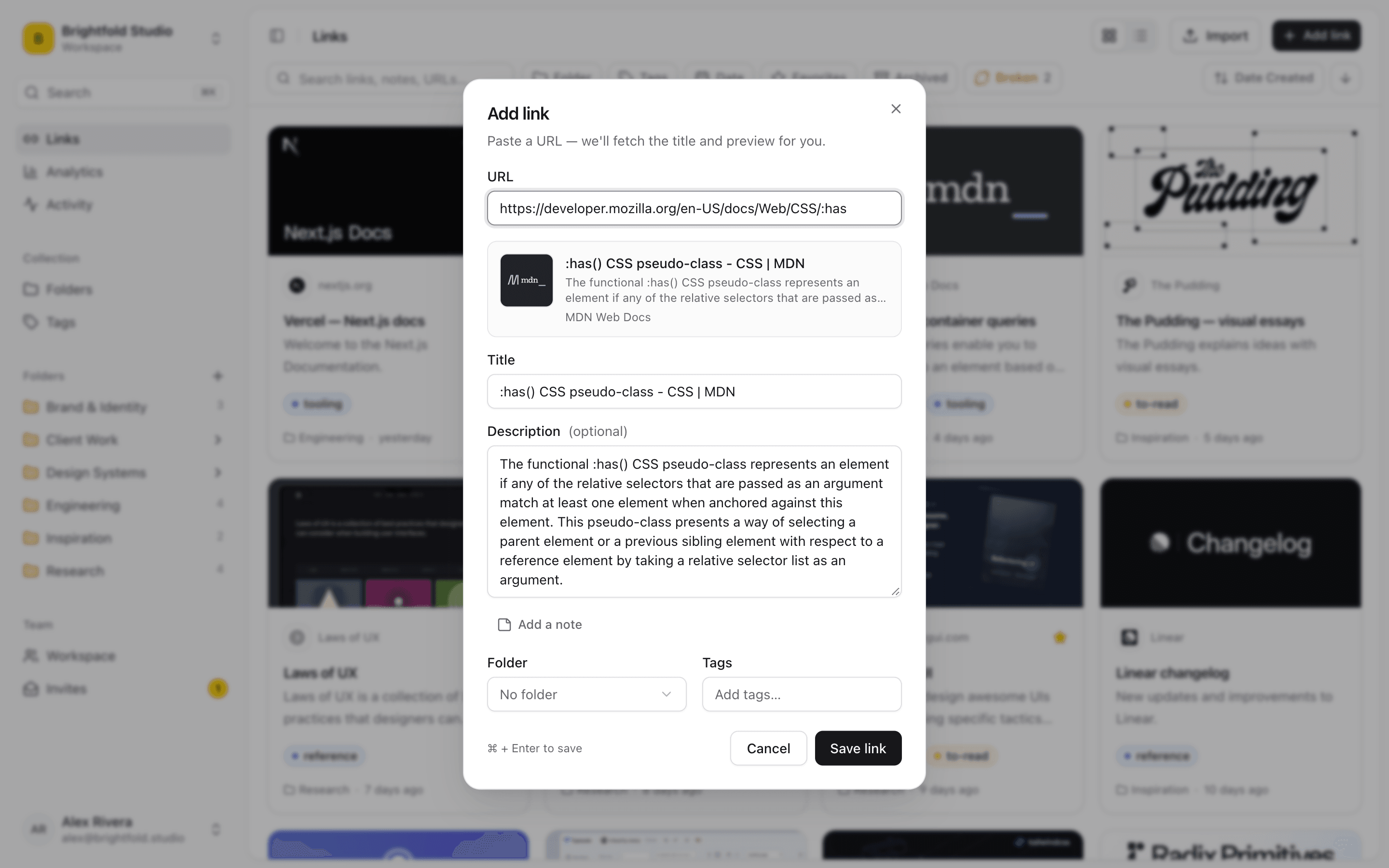
The page describes itself
Paste a link and Linkbry reads the page for you: title, description, preview image and favicon arrive before you've decided which folder it goes in. Every field stays editable, so a page titled “Home” can become “Northwind — staging site” before it's saved.
- Title, description, preview image and favicon fetched automatically
- Edit any of it before saving
- Preview images make the grid view scannable at a glance
- Press N anywhere in the links view to add a link, ⌘/Ctrl+Enter to save
A note for why you saved it
The URL is rarely the useful part. The useful part is “the MSA every new client starts from” or “the answer that fixed the Safari build.” Every link has a free-form note, and notes are searchable, so the reason you saved something becomes the way you find it again.
It tells you when it's already there
On a shared workspace, the same article gets saved three times by three people. Linkbry warns you when a URL is already saved in the workspace. If you still want a second copy, say one filed under a different client, you can save it anyway.
Filed as you save
Pick a folder and add tags in the same dialog, so a link lands where it belongs instead of in an “unsorted” pile you promise to clean up later. A design studio saving a moodboard reference can drop it straight into Client Work › Meridian with a to-read tag.
Start organizing your links today
Free forever for one person. No credit card needed.