// Use case

One workspace. Every link your team needs.

β€œCan you send that link again?” is a question that costs a team hours a week. A shared workspace means everyone is looking at the same organized library, with roles so nothing important gets deleted by accident.

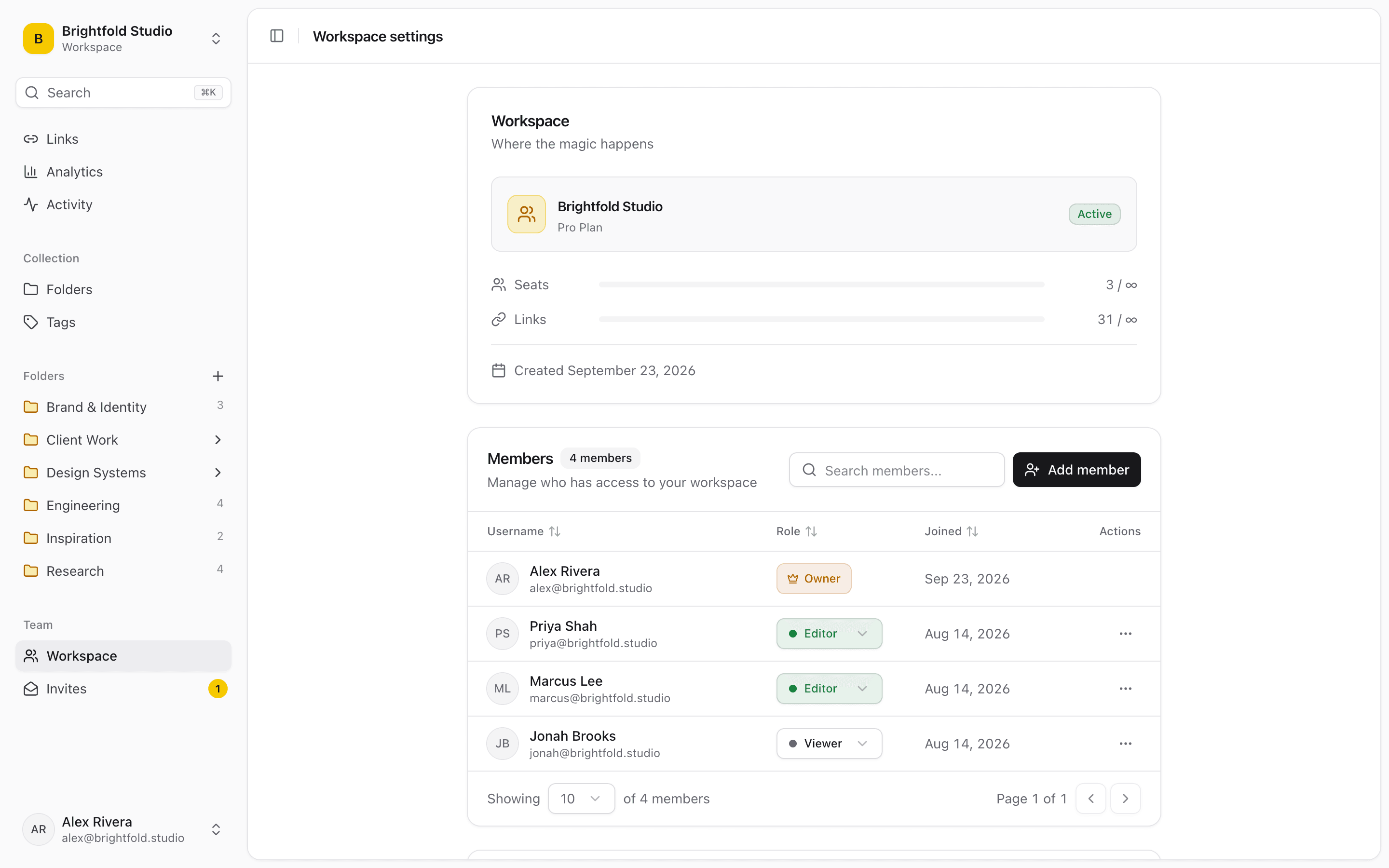
Linkbry workspace settings, listing team members and their roles.

Roles, not a free-for-all

Owners manage the workspace and billing, editors add and organize, viewers read. Shared knowledge without the risk that someone reorganizes six months of filing on a Friday afternoon.

  • Shared workspace with owner, editor and viewer roles
  • Everyone sees the same up-to-date library
  • Invite by email; pending invites are visible to owners
  • An onboarding folder gets new hires productive on day one

Onboarding that maintains itself

A single β€œStart here” folder β€” tools, runbooks, accounts, who-to-ask β€” is the highest-leverage thing a team can keep current. It stays current precisely because adding to it takes one click from wherever you already are.

See what's used

Workspace analytics show which shared links get opened and which quietly never do, so the library gets pruned on evidence rather than instinct.

β€œOur 12-person team was losing critical vendor links in Slack threads. Linkbry's shared workspace fixed that in a day. It's now part of our standard onboarding.”
Jordan M.
Operations Manager Β· Fintech Startup, New York, NY

Start organizing your links today

Free forever for individuals. No credit card required.