Your link library, inside your AI assistant
Linkbry is an MCP server. Connect it to Claude, Cursor, ChatGPT or any other MCP client and your assistant can find the links your team has saved, save new ones as you work, and file them in the right folder with the right tags.
Ask for a link instead of hunting for it
“Find the Northwind statement of work.” “What did we save about onboarding?” The assistant searches titles, URLs, descriptions and your notes across every workspace you belong to, and answers with the link.
- Search across all your workspaces at once
- Filter by folder (subfolders included), tag or favourites
- Full details for any link, including its note
Save and organise without switching tabs
Ask it to save a page you're discussing and it lands in Linkbry with its title and preview filled in, in the folder you name, with tags created as needed. It won't make duplicates: a link that's already saved comes back as it is.
- Save links with a note, folder, tags and favourite
- Edit, move, retag and archive links
- Create folders, nested inside others
One click in Claude, a key for everything else
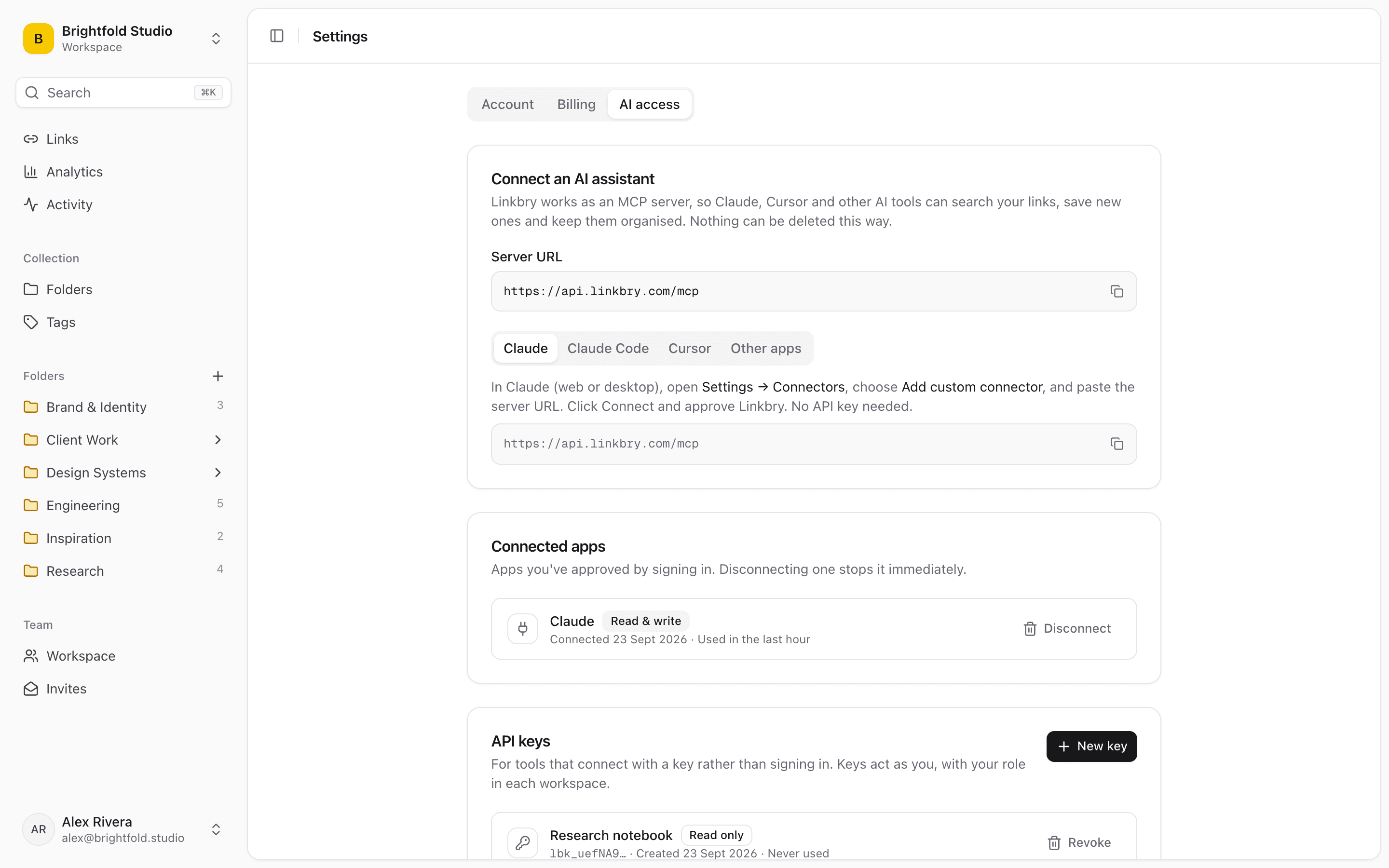
In Claude, add Linkbry as a custom connector and approve it on a Linkbry sign-in screen, no key needed. For Claude Code, Cursor and scripts, create an API key in Settings, read only or read and write. Every connection is listed in Settings, and you can disconnect any of them instantly.
Safe by design
An assistant acts as you, with your role in each workspace: where you're a viewer, it can only read. It can archive a link but never delete anything. Plan limits apply as they do in the app, and changes appear in the activity feed like any other edit.
- Works on every plan, including Free
- Read-only keys for assistants that should only look
- Nothing can be deleted over MCP
Start organizing your links today
Free forever for one person. No credit card needed.