Research, design and teaching

Organize research sources as a team, with the context attached

Linkbry keeps research sources in shared project folders, each with a note on the claim it supports, searchable by the team and shareable as a reading list.

In short

Use Linkbry as a shared repository for research links: nested folders per project and question, a note and highlights on each source, search that covers titles, notes and the captured text of saved web pages, and read-only reading lists for reviewers or students. It works alongside a citation manager like Zotero; it doesn’t format citations or read the text of PDFs.

What it’s for

What research teams use Linkbry for

Week to week

How it works in practice

  1. 01

    Set up the project

    Create a folder per project and a subfolder per research question, agree a small set of tags for source type and status, and a note format.

  2. 02

    Save sources with context

    Save each source in one click with the claim it supports in the note, and keep several highlighted passages on the ones you’ll quote.

  3. 03

    Work from a shared queue

    Save a “to-read” view and share it with the workspace, and assign papers to colleagues with a due date so they land in their Inbox.

  4. 04

    Discuss and fill gaps

    Comment on a source and @mention a colleague, or post a link request for a dataset nobody has saved yet.

  5. 05

    Share the reading list

    Publish the reading-list folder as a read-only page for reviewers or students. The link checker flags sources that break or move.

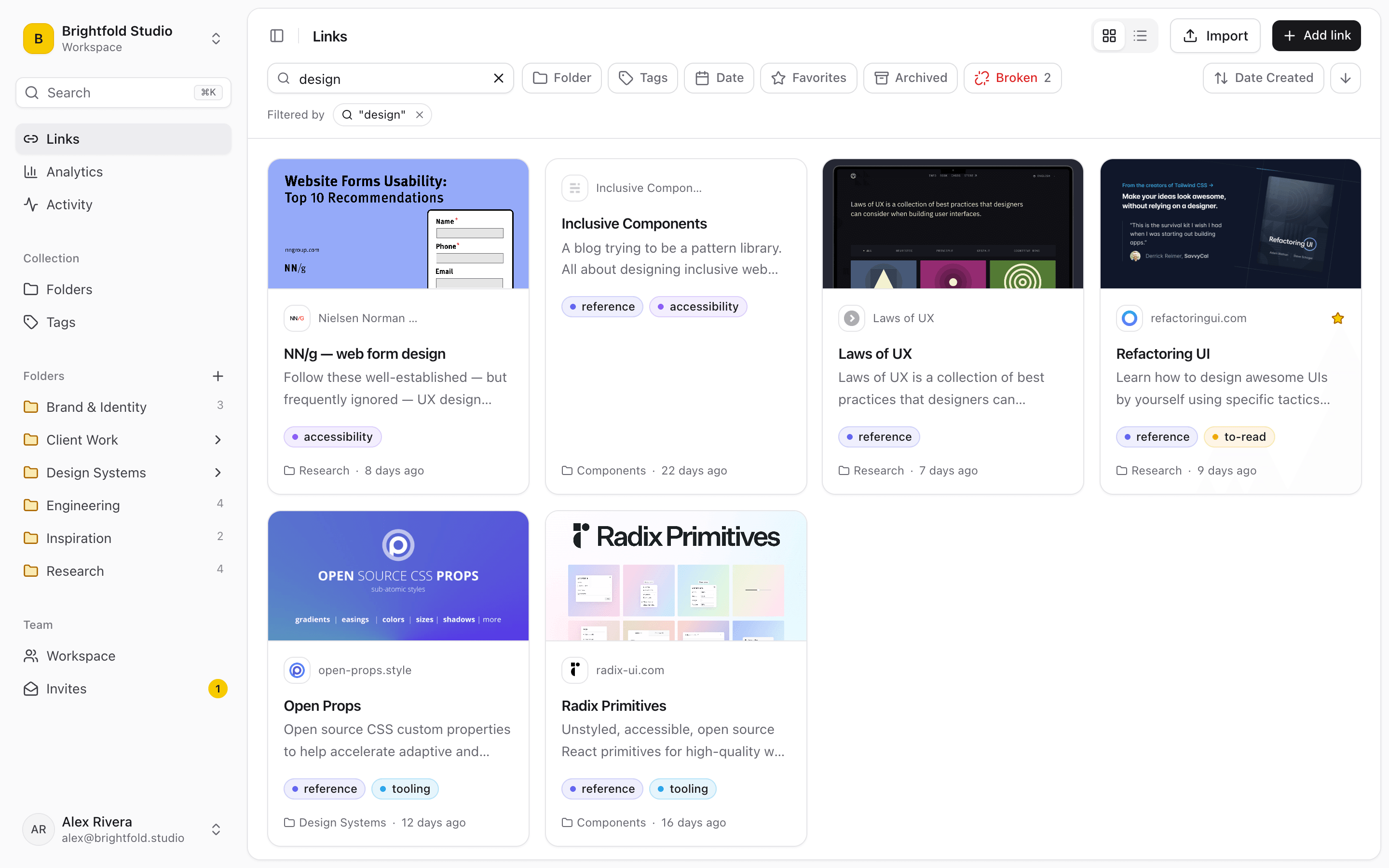
Search and filters in Linkbry narrowing a research library to matching sources.
01

Context is the thing you lose first

Six weeks later, a saved URL tells you nothing about why it mattered. Write the claim it supports, the figure you needed or the page number into its note, and that becomes the thing you search on, for you and for everyone else on the project.

  • Nested folders per project, topic and sub-topic
  • A note on any link capturing why you saved it
  • Highlights: several saved passages on one source
  • Tags by source type, argument and status
  • Search across titles, URLs, descriptions, notes and page text
02

How to organize research sources so a team can use them

A structure that holds up over a long project: one folder per project, a subfolder per research question or chapter, and a small, fixed set of tags that describe the source rather than the topic. Agree a note format so anyone can scan it: the claim, where in the source it appears, and how reliable it is. Save a view such as “to-read, tagged dataset” as a shared smart folder so the whole team works from the same queue.

  • Source type: paper, report, dataset, interview, news, primary source
  • Status: to-read, read, cited, rejected
  • Note: claim · location in source · reliability
  • Owner and review date for sources that change, such as live datasets
03

Search that reaches inside the page

Linkbry captures the readable text of saved HTML pages in the background and shows it in a reader view. Search matches that text too, ranked below title, URL and description matches, so a phrase you half-remember from an article can still find it. PDFs and other file types aren’t captured; for those, your note is what search sees.

04

Shared across the team

Everyone in the workspace sees the same library, so a source one person found is available to the rest. Reviewers and stakeholders can be invited as free viewers, owners can restrict sensitive folders to named members, and a reading list can be published as a read-only page anyone can open.

05

Linkbry and your citation manager

Zotero, Mendeley and EndNote manage citations: bibliographic metadata, PDFs and formatted references. Linkbry doesn’t do any of that. What it does better is the web side of research (articles, reports, datasets and tools), shared across a team with context attached and one link to hand to someone outside it. Many researchers use both.

06

Not an archive

Linkbry stores links, your notes and the readable text of web pages, not screenshots or full copies. Its link checker flags sources that break or move; for sources that might disappear, upload a copy or use an archiving tool alongside it.

A starting point

A starter workspace for a research team

Share the reading-list folder on its own, since subfolders of a shared folder are published with it.

FolderWhat goes in itWho sees it
Project / LiteraturePapers, reviews and key books, tagged by theme and statusThe research team
Project / DataDatasets, codebooks, dashboards, data portalsThe research team
Project / FieldworkLinks to recordings, transcripts and interview notesNamed members only (restricted folder)
Methods & protocolsMethods papers, instruments, templates, ethics formsEveryone in the workspace
Reading listCurated sources for reviewers, students or stakeholdersAnyone with the link, via a read-only page
“Every source I save now carries the note explaining why. That single habit has saved me more time than any other tool change this year.”
Priya R.Research Analyst · Policy Institute
FAQ

Questions researchers ask.

What’s the best way to organize research sources?

Folder per project, subfolder per question, a few tags for source type and status, and a note on every source with the claim it supports and where. The note matters most: it’s what makes a source findable and usable by someone else later.

Is Linkbry a Zotero alternative?

No, it’s a complement. Use a citation manager for references, PDFs and bibliographies, and Linkbry for the web sources, datasets and tools a team shares, with notes and reading lists.

Can I search inside saved articles?

Yes, for web pages. Linkbry captures the readable text of saved HTML pages and search matches it. It doesn’t read the text of PDFs or other files.

Can I share a reading list with people who don’t have an account?

Yes. Publish the folder as a read-only page; anyone with the link can open it, with an optional password and expiry date. Your notes aren’t shown.

Does Linkbry keep a copy if a source disappears?

It keeps the readable text of saved web pages, not a full copy, and flags the link as broken. Upload a copy of anything you can’t afford to lose.

Can I keep sensitive research links restricted?

Yes. Owners can restrict a folder to named members, and individual links can be kept private to the person who saved them.

More in research, design and teaching

Give researchers one place for every link

Free for one person, with your bookmarks imported in a minute.

Research Organizer for Teams: A Shared Library of Sources and Notes | Linkbry