Every piece of sales collateral, one keystroke from the email you’re writing
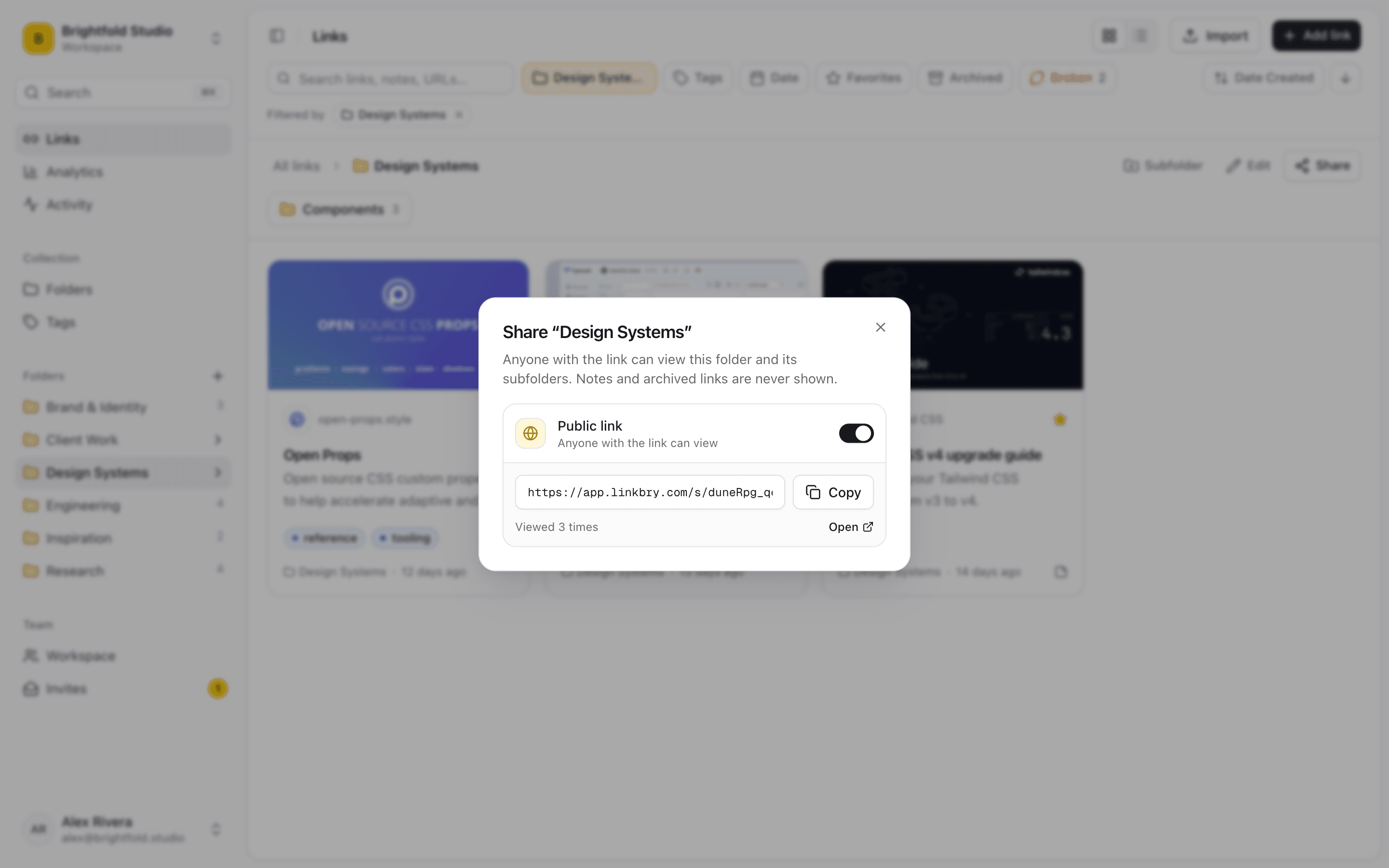
Reps lose the middle of a deal hunting for the right case study, the current pricing page, the security doc and the demo recording — and then send the outdated one. Linkbry gives a sales team one shared library of sales enablement content, lets reps drop any link or snippet into the email, CRM note or message they’re writing by typing ;;, and turns a folder into a branded page for a prospect’s buying committee.
Last updated
In short
Linkbry is lightweight sales content management: collateral, battlecards, case studies and demo videos in shared folders, reusable snippets and links inserted into any text box in the browser, and password-protected, branded folder pages you can send a prospect as a simple deal room, with views and clicks per link. It isn’t a full enablement platform — there’s no CRM sync or per-viewer tracking.
What sales teams use Linkbry for
A sales collateral library
One-pagers, case studies by industry and company size, pricing, security and compliance material, and product videos — owned by marketing or enablement, read by every rep.
Battlecards and competitive intel
Battlecards, competitor pricing pages, comparison docs and objection handling. Give each an owner and a review interval so the team stops quoting last year’s pricing.
Snippets for outreach
Follow-up emails, meeting recaps, pricing explanations and security answers saved as snippets and inserted with ;; — the same text in Gmail, the CRM or LinkedIn in the browser.
A simple deal room per opportunity
The proposal, the mutual action plan doc, relevant case studies and the security pack on one branded page with a password and an expiry date. Share stats show which links the buying committee clicked.
Sales playbook and rep onboarding
The playbook, discovery questions, call recordings and product training in a checklist folder, so managers can see how far each new rep has got.
Go links for demos
go/demo, go/pricing, go/roi — short aliases for the links reps open on every call, from the browser address bar with the extension.
Asking for the right asset
A rep posts a link request — “healthcare case study, mid-market?” — and marketing answers it with a saved link, which the whole team can then find.
Partner and reseller pages
Co-selling material, product sheets and training for partners on a branded page you can update without sending a new pack.
Where sales content hides
Enablement content is only useful if a rep can find the right version in the thirty seconds before they hit send.
- A shared drive with “Case study FINAL (2)” in three folders
- The pinned message in #sales that pointed at last quarter’s deck
- Battlecards in a wiki page nobody has updated since launch
- The good follow-up email that lives in one rep’s sent folder
Sales enablement content that stays current
Every link can have an owner and a review interval; when it’s due, Linkbry shows it as needing review until someone confirms it or replaces it. The background checker flags links that break or redirect elsewhere, and the activity feed shows what changed. Reps search one library — by title, description, note or the text of saved pages — instead of three drives.
Insert, don’t search
With the Chrome extension, type ;; or press Ctrl/Cmd+Shift+K in any text box — Gmail, a CRM note, LinkedIn, Slack — search the team’s library at your cursor and press Enter to insert a formatted link, or Shift+Enter for the plain URL. Snippets insert their text the same way.
A lightweight digital sales room
Publish a folder per opportunity as a read-only page with the prospect’s name, your logo and accent colour, an optional password and an expiry date. Buyers open it without an account, and share stats show page views and clicks per link. Be clear on the limits: Linkbry counts activity but doesn’t identify individual visitors, doesn’t sync with your CRM and doesn’t host a mutual action plan itself — link the doc you already use.
Pricing for sales teams
Only people who add and organize content need a paid seat: $10 per owner or editor per month, or $100 a year. Reps who only search and insert collateral can be free viewers. Reps who publish their own deal pages need an editor seat, because sharing a folder is an editor action.
When you need a full enablement platform
If you need per-viewer content analytics, CRM-integrated recommendations, content approvals or rep coaching, look at a dedicated sales enablement platform. Linkbry is for small and mid-size teams that need their content organized, current and one keystroke away.
A starter workspace for a sales team
| Folder | What goes in it | Who sees it |
|---|---|---|
| Collateral / Case studies | By industry and company size, each with a one-line summary | Every rep |
| Collateral / Security & legal | Security overview, DPA, compliance and questionnaire answers | Every rep |
| Competitive | Battlecards, competitor pricing pages, comparison docs | Sales, marketing and product |
| Playbook | Discovery questions, call recordings, objection handling, snippets | Every rep; a checklist for new reps |
| Deals / Prospect | Proposal, mutual action plan doc, relevant case studies | The buying committee, via a password-protected page |
Frequently asked questions
Keeping sales collateral — case studies, decks, pricing, security docs, battlecards — organized, current and easy for reps to find and send. Linkbry covers the organizing, finding and sending for links and snippets; full enablement platforms add content analytics and CRM integration.
Yes, with the Chrome extension: type ;; in any text box in the browser to search the library and insert a link or snippet.
Share stats show views of the page and clicks on each link over the period you pick. They don’t identify who the visitor was.
There’s no native CRM integration. The ;; picker works in the CRM’s text boxes in the browser, and Pro workspaces can send signed webhooks for events like new links.
No. Reps who only find and insert content can be free viewers. Anyone who adds, edits or shares folders needs an editor seat at $10 a month.
Start organizing your links today
Free forever for one person. No credit card needed.