Industries

Every link your store runs on, shared with the whole team

Linkbry keeps your store’s admin, ad, analytics and 3PL links in one shared library, and lets support drop the right one into a customer reply.

In short

Use Linkbry as your e-commerce team’s shared link library: folders for store admin, marketplaces, ads, analytics, suppliers, product content and support, with a note on each link. Support agents use the Chrome extension’s ;; picker to insert order-tracking and returns links into any reply box. Editors pay $10 a month; viewers, including seasonal staff, are free on Pro.

What it’s for

What e-commerce teams use Linkbry for

Week to week

How it works in practice

  1. 01

    Monday: the numbers

    The team opens the week’s analytics dashboards and ad accounts from the Reporting folder: the same links for everyone, not whoever still has them bookmarked.

  2. 02

    Tuesday: listings and content

    A merchandiser saves new competitor listings with the extension, tagging them by category and noting price and positioning in each link’s note.

  3. 03

    Wednesday: support

    An agent answering “where’s my order?” types ;; in the help-desk reply box, picks the order-tracking link, then inserts the returns-policy snippet.

  4. 04

    Thursday: suppliers

    Operations places a reorder through the supplier portal and checks the 3PL dashboard, both in the Suppliers folder with account notes attached.

  5. 05

    Friday: clean-up

    An editor checks the Broken filter for supplier pages and competitor listings that have gone, and updates the links everyone uses.

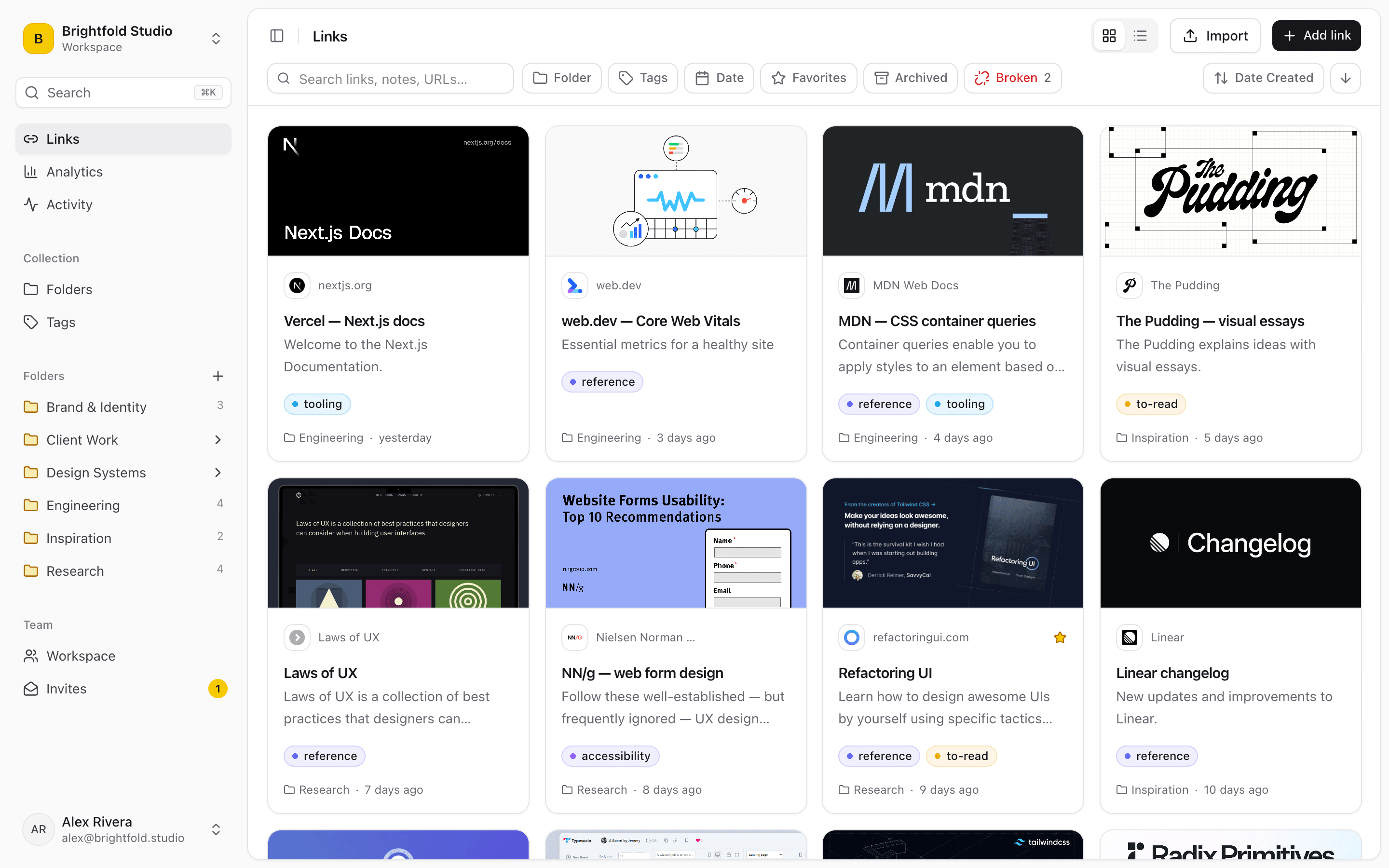
Saved links shown as a grid of cards with preview images, titles and site names in Linkbry.
01

Where store links live today, and why it breaks

E-commerce teams grow in bursts: a new channel, a peak season, a new agency. Each burst adds links, and none of the usual places keeps up.

  • The founder’s bookmarks bar, which nobody else can see
  • A pinned message in the team chat that’s six months out of date
  • Support macros with hard-coded URLs that broke when the store theme changed
  • Seasonal staff asking for the same five links every shift
  • Agencies and freelancers sent a different list each time
02

Support links at the cursor

The Chrome extension’s picker works in any text box, including help-desk reply fields, email and chat. Type ;; or press Ctrl/Cmd+Shift+K, search the team’s library and press Enter to insert a link, formatted or (with Shift) as a plain URL. Save reusable text such as a returns explanation as a snippet and insert it the same way. When the returns policy page moves, update the link once and every agent inserts the new one.

  • Order tracking and carrier pages
  • Returns policy, returns portal and exchange instructions
  • Size guides, care instructions and warranty terms
  • Snippets: standard wording for delays, returns and damaged items
03

Roles for a team with a seasonal surge

Owners manage the workspace and billing. Editors (the people who run channels, operations and support) add, organise and delete links. Seasonal support staff, warehouse leads and agencies can join as free viewers: they can search, open and insert links without changing anything. Owners can restrict folders such as finance or supplier contracts to named members.

  • Invite links with a viewer role, an expiry date and a use limit for a peak-season intake
  • A checklist folder to onboard new support agents
  • The activity feed shows who added or changed a link
  • Private links for anything that’s only yours
04

Share a folder with agencies, suppliers or creators

Publish any folder as a read-only page that anyone can open without an account: brand guidelines and asset links for an agency, product pages for a creator campaign, or a spec sheet folder for a supplier. Add a password and expiry date, and your own title and logo. Notes and private links are never shown, and you can turn the page off at any time.

05

Keep the library honest

The background checker re-checks each link at most every seven days and flags ones that return errors or redirect to another domain, such as delisted competitor products, retired supplier pages and old campaign landing pages. Give policy links an owner and review interval so they come up for checking when your terms change.

06

What it costs: a worked example

Pro is $10 a month ($100 a year) per owner or editor; viewers are free and unlimited. A store with four people who run channels, ads, operations and support, plus 15 support agents and seasonal staff as viewers, pays $40 a month or $400 a year, and the peak-season intake adds nothing. The Free plan is one person with up to 100 links.

07

When Linkbry isn’t the right fit

Linkbry is a library of links, not a help desk, a digital asset manager or a product information system. It doesn’t store your product images in place of your asset storage, doesn’t replace your help desk’s macros, and doesn’t connect to your store’s data. There’s no public API or Zapier app, though Pro workspaces can send signed webhooks to anything that accepts one. There are no native mobile apps.

A starting point

A starter workspace for an e-commerce team

The support folder is the one agents will use most through the ;; picker.

FolderWhat goes in itWho sees it
Store & marketplacesStore admin, seller centrals, marketplace dashboards, with account notesOwners and editors; viewers can read
Ads & reportingAd accounts, analytics reports, weekly dashboardsEveryone in the workspace
Suppliers & 3PLSupplier portals, warehouse and 3PL dashboards, carrier pagesEveryone in the workspace
Finance & contractsPayments dashboard, accounting, supplier contractsNamed members only (restricted folder)
SupportOrder tracking, returns policy, size guides, reply snippetsEveryone in the workspace, including seasonal viewers
ResearchCompetitor listings and pricing, tagged by categoryOwners and editors; viewers can read
Brand kitBrand guidelines, asset folders, product copy docsAgencies and creators, via a password-protected shared page
FAQ

Questions e-commerce teams ask.

How much does Linkbry cost for an e-commerce team?

$10 a month or $100 a year per owner or editor. Viewers are free and unlimited on Pro, so seasonal support staff and agencies who only need to find and insert links don’t add to the cost.

How does the ;; picker work in our help desk?

Install the Chrome extension, click into the reply box and type ;; (or press Ctrl/Cmd+Shift+K). Search your saved links and snippets across every workspace you belong to, and press Enter to insert one.

Can viewers use the picker?

Yes. The picker searches the links you can see in every workspace you belong to, whatever your role. Viewers can insert links; they just can’t add or change them.

Does Linkbry store our logins?

No. Linkbry stores the address, title, tags and your note for each link. Keep passwords in a password manager.

Can we share brand assets with an agency?

Yes. Put the links in a folder and publish it as a read-only page, optionally with a password and an expiry date. The agency doesn’t need an account.

Can we import links from our bookmarks or a spreadsheet?

Yes. Import browser bookmarks from Chrome, Firefox, Safari, Edge, Brave or Arc with folders and tags intact, or a CSV. Duplicates are skipped.

Does it connect to Shopify or our marketplaces?

No. Linkbry saves links to those tools but doesn’t read store data. Pro workspaces can send webhooks when links change, to anything that accepts one.

Give e-commerce teams one place for every link

Free for one person, with your bookmarks imported in a minute.

Link Manager for E-commerce Teams: Store, Ads, 3PL & Support | Linkbry